
 UK
UK CH
CHYour software stays.
ArchX works with it.
ArchX reads and writes the files your practice already uses: PDF, DXF, IFC, Word, Excel and PowerPoint. It operates programs and a browser on your computer. You open the result in the software your practice works with.
7 days free · No payment details · Mac and Windows
Which file goes where?
Your practice exports a file. ArchX does the task and saves the result for your software, in your project folder.
AutoCAD and other DWG software
DXF · PDFReadsDrawings saved as DXF or printed to PDF: text, dimensions, layers and geometry
DeliversEditable DXF in millimetres (R2010) and the PDF sheet with title block
Vectorworks, Revit and Archicad
IFC · DXF · PDFReadsIFC models with elements, quantities and rooms, and drawings as DXF or PDF
DeliversDimensioned DXF drawings, area schedules with GIA, GEA and NIA, 3D models
Word, Excel and PowerPoint
DOCX · XLSX · PPTX · PDFReadsBriefs, tenders, specifications and schedules, scanned PDFs with text recognition
DeliversLetters, reports and certificates on your letterhead, tender analyses with formulas, presentations
Recordings and notes
M4A · MP3 · WAV · TXTReadsMeeting recordings, transcribed on your computer, and your site notes
DeliversMinutes with decisions and actions, site visit reports
Browser and 3D viewer
GLB · HTML · PNGReadsYour plans, sections and survey for the model
DeliversA 3D model of each option, a viewer that opens in the browser, views as images
British by default.
Every document, drawing and table comes out the way a practice in the UK writes it.
A4 and British English.
New Word documents start from a British template on A4, with the language set to English (United Kingdom). PDFs are A4 as well.
4500 on the drawing. 4,500 mm in the text.
Dimensions in millimetres without a unit on drawings, levels in metres (+2.450). In text and tables, a comma groups the thousands.
Sheets ready for your review.
Title block with drawing number, revision and status, scale at the paper size, scale bar, north point and “Do not scale from this drawing.”
Your practice on every letter.
Letters, certificates and notices on your letterhead, with the particulars a limited company must show.
This is what the files look like.
Real results of the ArchX UK edition on England test projects: the drawing sheet, the spreadsheet and the 3D model, as ArchX saved them.
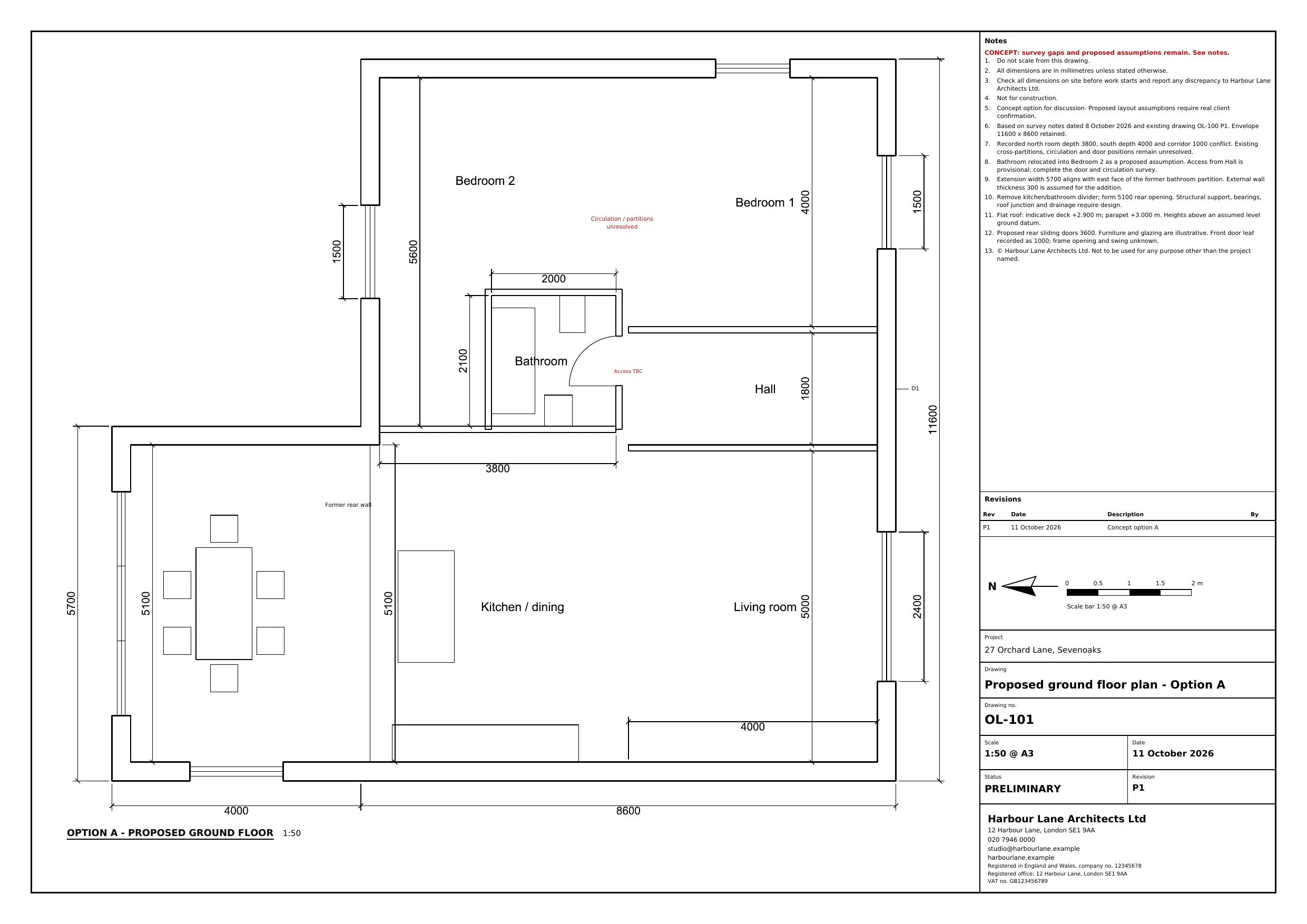 OL-101 · 1:50 @ A3
DXF · PDF
From survey notes to a DXF in millimetres
The existing plan and two extension options as editable DXF files and PDF sheets at 1:50 on A3, with title block, scale bar and north point.
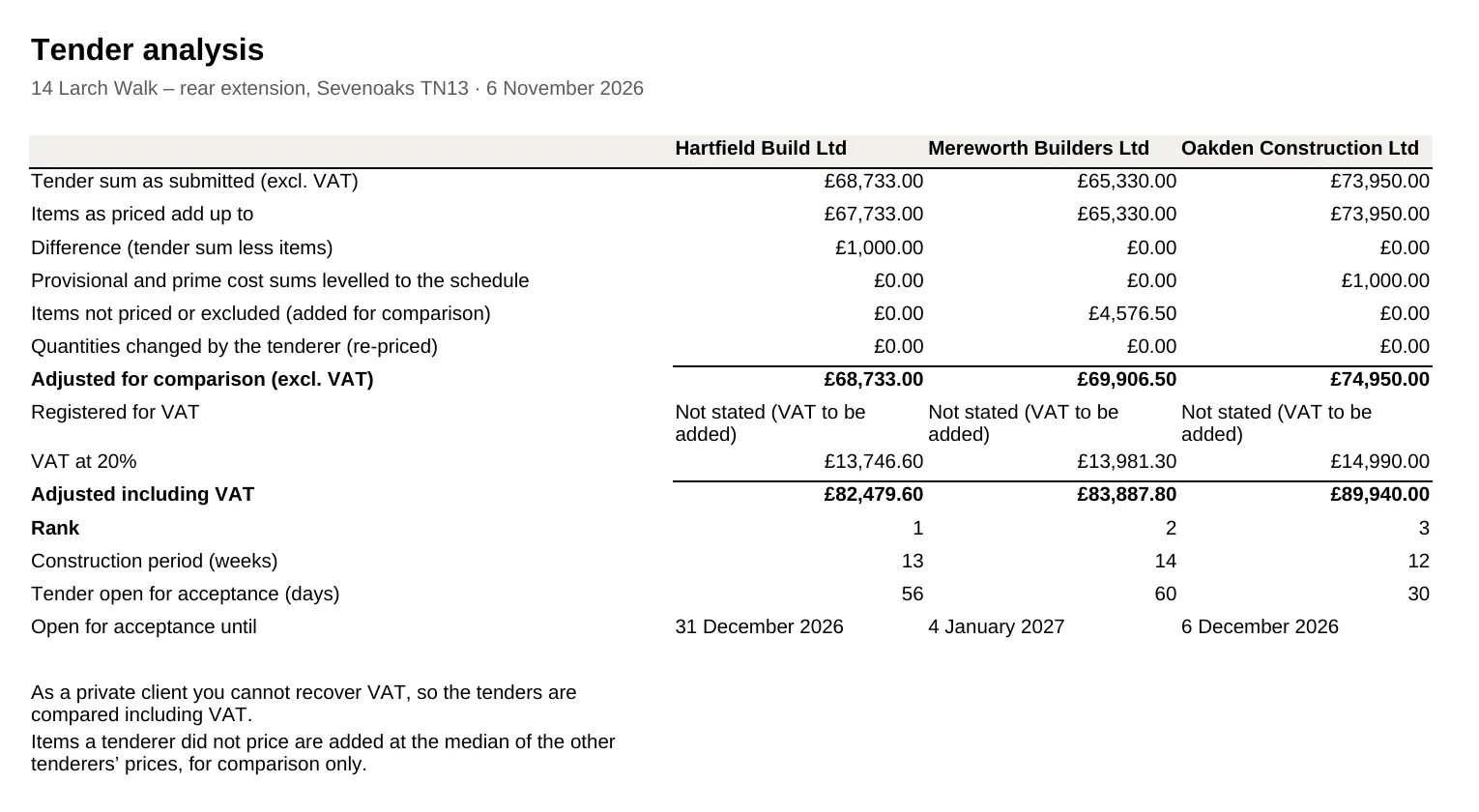 3 tenders · 7 min
XLSX · DOCX · PDF
From three tenders to Excel and Word
The tender analysis as a spreadsheet with formulas, and the tender report for the clients as Word and PDF.
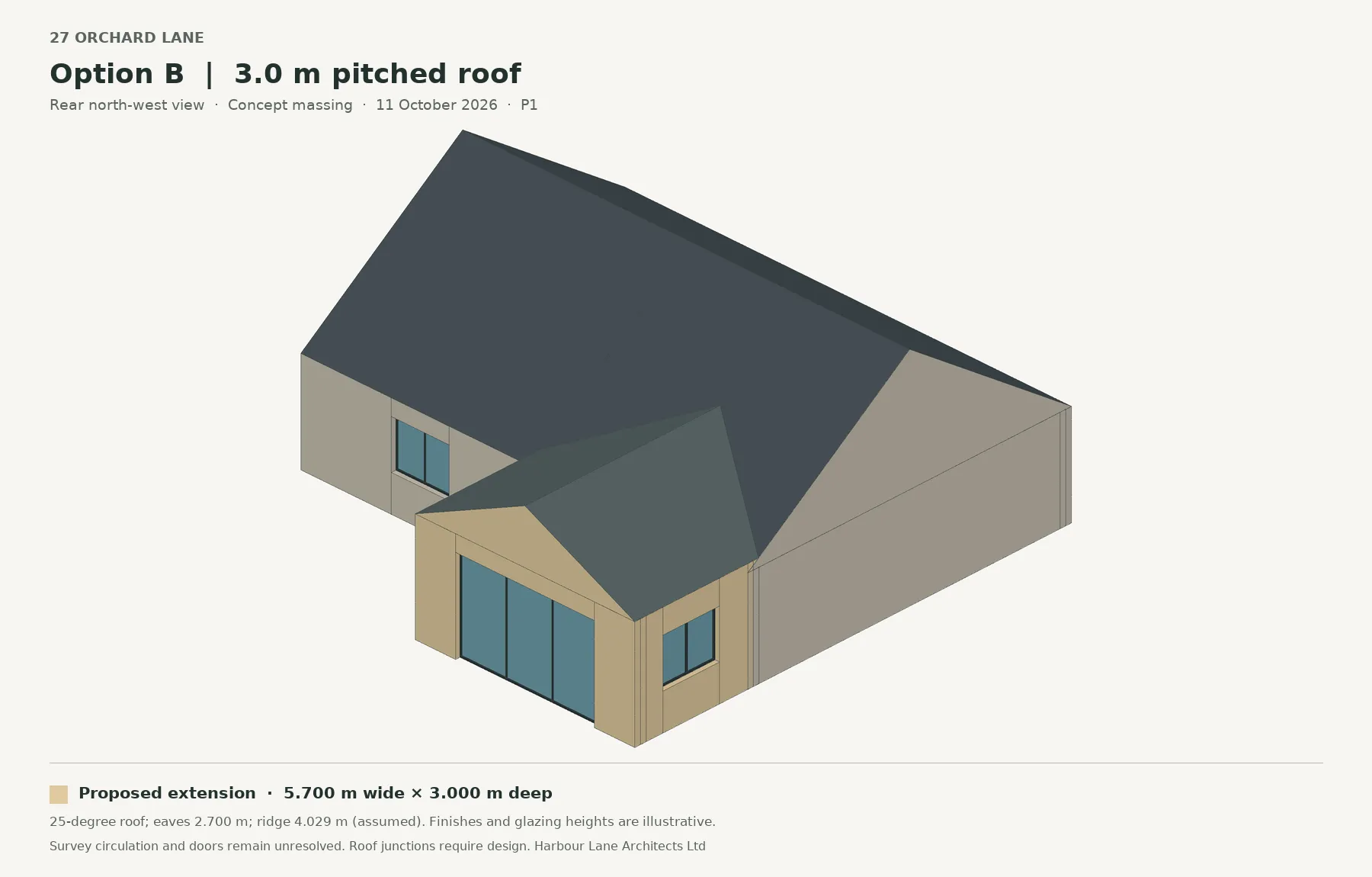 Option B · 3D model
GLB · HTML · PNG
From the plan to the 3D model
Each option as a 3D model, a viewer that opens in any browser and views for the client presentation.
What would you like to know?
Is ArchX a plugin for AutoCAD, Revit or Archicad?
No, ArchX needs no plugin. It works with the files of your software: DXF, PDF and IFC for drawings and models, Word, Excel and PowerPoint for documents. And it operates programs and a browser on your computer when you ask it to.
We draw in AutoCAD. How do our drawings get to ArchX?
Save the drawing as DXF or print it to PDF. ArchX reads text, dimensions, layers and geometry from both. The drawings ArchX draws come back as DXF in millimetres, which AutoCAD opens directly.
Can ArchX operate our programs itself?
Yes. With computer control switched on, ArchX sees the screen and operates programs on your Mac or Windows PC: it clicks, types and uses the menus. Web pages it opens in its own Chrome or Edge window. You decide in the settings what it may do without asking.
How do the results get into our software?
ArchX saves DXF, PDF, DOCX, XLSX, PPTX and 3D files in your project folder, under Results. You open them in the software your practice works with, or drag them from the Documents panel straight into another program, such as an email.
Does ArchX use our letterhead and templates?
Yes. Enter your practice’s name, address and logo once in the practice profile: letters, certificates and notices then carry your letterhead. Point ArchX to your templates folder and it writes new documents in their style; the templates stay unchanged.
Export one file.
ArchX does the rest.
Try ArchX with a drawing or a schedule from your own project.