
Archicad’s own AI.
And what ArchX adds.
What Graphisoft’s own AI in Archicad does, from AI Assistant to AI Visualizer, and what ArchX adds in the model: it builds elements, quantities, undo, Teamwork.
What does Archicad’s own AI do, and what does ArchX add?
Graphisoft is building its own AI into Archicad: the AI Assistant (Beta) answers questions about Archicad and your own documents, AI Visualizer makes images from the model and sketches, and with Archicad 30 Collaborate or Max the AI can query the model and change properties after you confirm. ArchX adds to that: from one sentence it builds new walls, slabs, doors, windows and rooms, changes and removes them when you ask, takes off quantities per story and undoes its own changes, from Archicad 28 and without a Collaborate or Max subscription.
What Graphisoft’s AI does
This is how Graphisoft describes its AI in the Archicad 30 help and on its product page, read on November 1, 2026:
- AI Assistant (Beta, from Archicad 29): helps you learn Archicad, find your way in the documentation and work with the model in natural language. With Spaces it answers from your own documents (Archicad 30).
- AI Visualizer (Archicad 30, on Studio, Collaborate and Max, Mac and Windows): turns sketches, models and ideas into images, textures and high-resolution visuals. Images from the AI Assistant can be refined there.
- Tools for AI programs (Beta, Archicad 30, Collaborate and Max only): query the model, counts and quantities by story, layer, zone or classification, batch edits of properties with preview and confirmation, Teamwork reservations, model health checks and menu commands. Desktop programs such as Claude Desktop can connect this way too.
- According to Graphisoft, the AI Assistant and AI Visualizer never use project data or prompts to train AI models.
What ArchX adds in the model
None of the tools listed in Graphisoft’s help creates new elements, and deleting is deliberately not available yet, to avoid any loss of data. That is where ArchX comes in:
- Build: walls, slabs, doors, windows and rooms from one sentence, such as “Draw a small house on the first floor: 32 by 24 feet outside”.
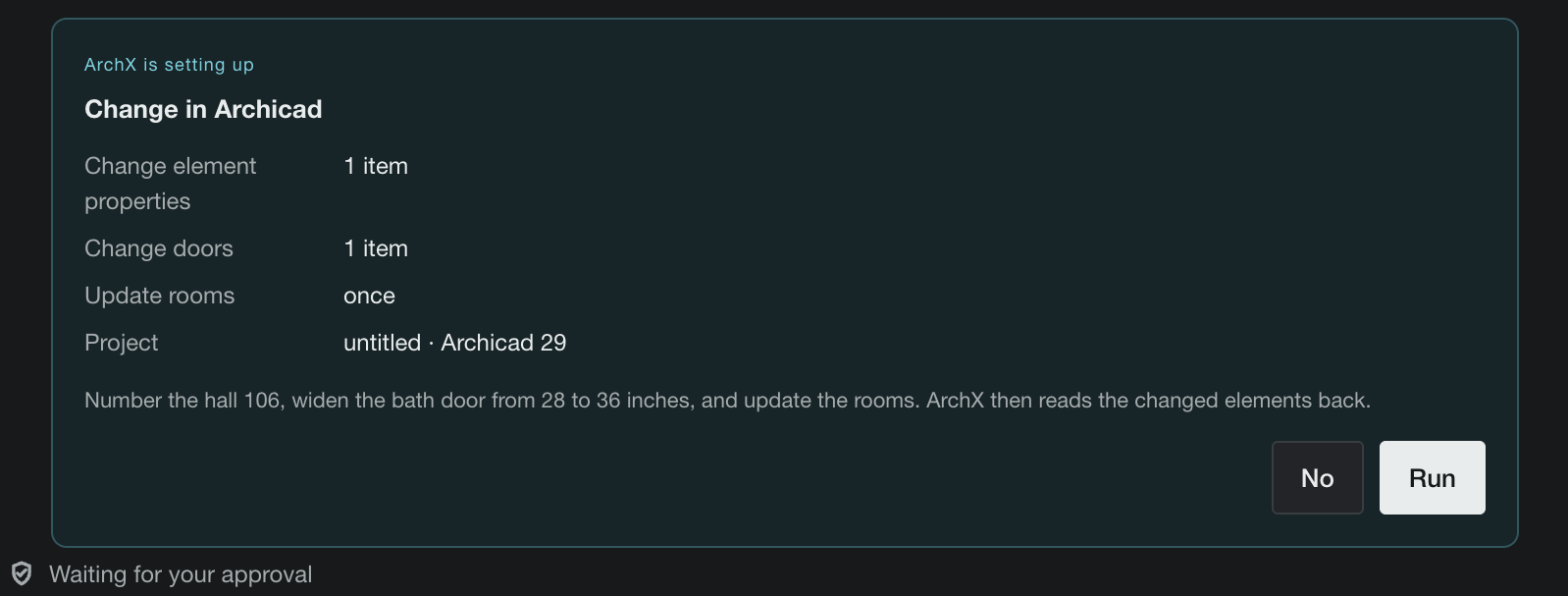
- Change and remove: wall thicknesses, heights, openings. ArchX carries out what you ask, checks the result in the model and tells you how to undo it; with “Ask for approval” you see every change on a card first. Nothing is deleted unless you explicitly ask.
- Undo: ArchX takes back its own changes when you ask.
- Quantities: areas, volumes and counts per story straight from the model, in square feet and cubic yards.
- Teamwork: ArchX reserves the elements it is about to change first. If someone else holds one of them, nothing runs, and ArchX names who has it.
- Versions and license: Archicad 28, 29 and 30 on Mac and Windows, with your existing Archicad license.
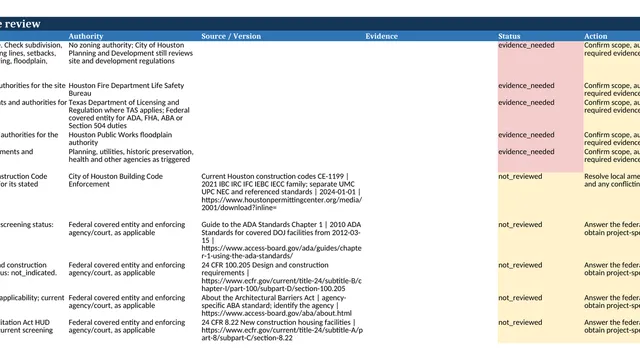
- Beyond Archicad: bids, minutes, zoning checks and drawings in the same app.
An addition, not a replacement
Both run side by side in the same Archicad. For questions about the software, images from the model and batch edits to properties, Graphisoft’s AI is the direct route. Use ArchX when new elements are to be built, when you need quantities for costs or code compliance, or when the work goes beyond Archicad.
How to do it.
- 01
Install ArchX
For Mac or Windows, 7 days free with your ChatGPT account (Plus or higher).
- 02
Open Archicad
Archicad 28, 29 or 30 with your project, on the same computer.
- 03
Let it connect
Ask “What do I have open in Archicad right now?”. The first time, ArchX sets up the connection itself.
- 04
Say one sentence
Such as “Put a window centered in the west wall, 4 feet wide and 5 feet tall, sill at 3 feet”.
- 05
See the result
ArchX makes the change, checks it in the model and shows the result in Archicad. With “Ask for approval” you approve every change on a card first.
The acceptance run: a house in Archicad 28, in seven sentences.
A fresh test project in Archicad 28 USA with the U.S. edition of ArchX, in feet and inches, and seven sentences: ask, build, take off quantities, thicken the walls, add a window, undo and remove the house again. The run showed a card before every change, as “Ask for approval” does today.
The seven sentences in the conversation:
- What do I have open in Archicad right now?
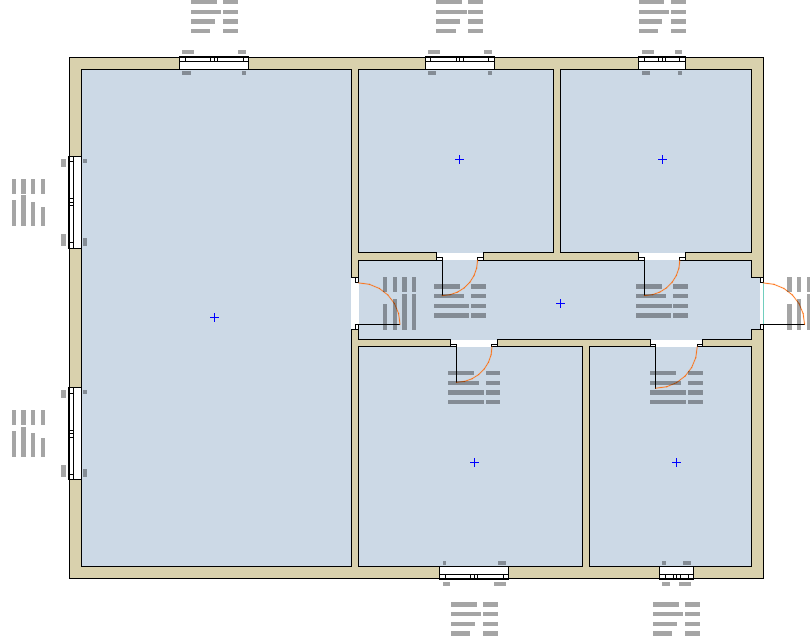
- Draw a small house on the first floor: 32 by 24 feet outside, 2x6 exterior walls 9 feet high, a slab on grade, one room called Living inside, and a front door in the south wall.
- How big is the room, how tall is it, and how many cubic yards of wall is that?
- Make the exterior walls 10 inches thick.
- Put a window centered in the west wall, 4 feet wide and 5 feet tall, sill at 3 feet.
- Undo that last change.
- Take the house out again.
ArchX answer time for all seven sentences, measured
Living room, worked out by ArchX from the model
changes in the model, all carried out correctly
Acceptance run in the real app on October 31, 2026: Archicad 28 USA on a Windows PC, fresh test project, no client model. Pictures: a change in a test apartment in Archicad 29. ArchX in Archicad
Asked briefly.
What is the Graphisoft MCP Server?
MCP (Model Context Protocol) is an open standard that lets AI programs talk to other software. With Archicad 30 Graphisoft ships such an access as a Beta, for Collaborate and Max subscriptions only: the AI Assistant or programs such as Claude Desktop can query the model and change properties after you confirm. None of the tools listed in Graphisoft’s help creates new elements, and deleting is not available at present. Graphisoft help
How does ArchX connect to Archicad?
Through Tapir, a free, open-source Archicad add-on that extends the interface Archicad provides for such connections. The first time, ArchX downloads the matching version, checks it and copies it into Archicad’s add-ons folder. Your project files stay as they are.
Do I need Collaborate or Max?
Not for ArchX. ArchX works with Archicad 28, 29 and 30 and your existing Archicad license. According to Graphisoft, its tools for AI programs come only with Collaborate or Max.
Can I use both at the same time?
Yes. Graphisoft’s AI and ArchX run side by side in the same Archicad; ArchX takes nothing away from the AI Assistant or AI Visualizer.
Does the Archicad connection cost extra?
No. It has been part of ArchX since version 0.0.90. The free trial needs a ChatGPT account, Plus or higher. Pricing
Sources, read November 7, 2026: Graphisoft help: AI Assistant · Graphisoft help: Manage BIM elements · Graphisoft help: Supported tools · Graphisoft help: AI solutions in Archicad 30 · Graphisoft: AI solutions by plan
Try it on your own work.
Download ArchX for Mac or Windows and give it a task from your firm. 7 days free with your ChatGPT account (Plus or higher).